



Last updated:
The Hague – For years, scheduling an appointment with the Immigration and Naturalisation Service (IND) meant one thing: waking up early, calling a hotline, and listening to hold music for 45 minutes, only to be told there are no slots available.
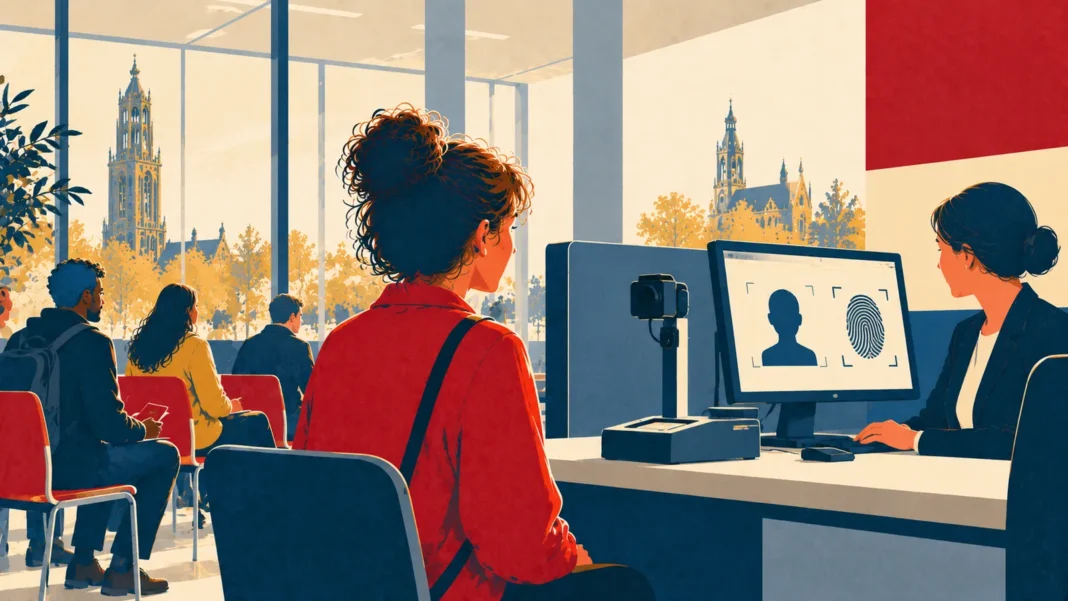
That era of frustration is finally ending. The IND has officially launched a new Digital Appointment Portal specifically for biometric services (fingerprints and photos). The system is currently live for the Utrecht and Den Bosch desks, with a nationwide rollout expected later in 2026.
If you need to renew your residence permit or provide biometrics for a new visa, this guide explains exactly how to use the new system, skip the phone queue, and secure that elusive appointment slot.
Table of Contents
- The New Portal: What Can You Do?
- Why Utrecht and Den Bosch?
- Step-by-Step Guide: How to Book Online
- What Are Biometrics? (And Why You Need Them)
- Checklist: What to Bring to Your Appointment
- Pro Tips: Finding a Slot When It Says “Full”
- Frequently Asked Questions (FAQ)
- Dutch Learning Corner
The New Portal: What Can You Do?
The new system replaces the outdated booking tool and reduces the need to call the general number (088 043 0430). It is designed to be mobile-friendly and integrated with DigiD for security.
Key Features:
- 24/7 Scheduling: You no longer need to call during business hours.
- Real-Time Availability: See exactly which slots are open in a calendar view.
- Reschedule/Cancel: Change your time instantly without speaking to an agent.
- Family Booking: Book back-to-back slots for partners and children in one go.
Why Utrecht and Den Bosch?
Currently, this fully digital system is a pilot program active at two of the busiest IND desks:
| IND Desk | Address | Services Available Online |
|---|---|---|
| IND Utrecht | Bergstraat 58, Utrecht | Biometrics, Document Collection, Sticker Placement |
| IND Den Bosch | Magistratenlaan 222, ‘s-Hertogenbosch | Biometrics, Document Collection |
Note: If you live in Amsterdam or Rotterdam, you can generally still choose to go to Utrecht or Den Bosch if you find an earlier slot there. Biometrics are a national system, not city-specific.
Step-by-Step Guide: How to Book Online
Ready to book? Follow these steps to navigate the Dutch interface (which is mostly translated, but not always perfect).
- Log in to Mijn IND: Go to the official IND website and log in with your DigiD app or SMS code.
- Navigate to ‘Appointments’: Look for the new tab labeled “Afspraak maken” (Make appointment).
- Select Service: Choose “Biometrie afnemen” (Take biometrics) or “Verblijfsdocument ophalen” (Collect residence document).
- Choose Location: Select Utrecht or Den Bosch from the dropdown menu.
- Select Time: Click on a green date. Grey dates mean full.
- Confirm: You will receive a confirmation email with a QR code. Save this QR code!
What Are Biometrics? (And Why You Need Them)
Many expats get confused about when they need to provide biometrics. You cannot just walk in; you must have a pending application.
Biometrics consist of:
- Passport Photo: Taken digitally on-site (no need to bring your own, though having one as backup is smart).
- Fingerprints: Digital scan of all 10 fingers.
- Signature: Digital signature.
You need this appointment if:
– You are a new arrival (TEV procedure).
– You are renewing a residence permit (Verlenging).
– Your old card was lost/stolen and you need a replacement.
– You are changing your purpose of stay (e.g., Student to HSM).
Checklist: What to Bring to Your Appointment
The IND is strict. If you forget a document, they will send you home, and you will have to wait weeks for a new slot.
The Golden Checklist:
✅ Valid Passport: The original, not a copy.
✅ Appointment Confirmation: The email with the QR code (on phone is fine).
✅ Current Residence Permit: If you have one (for renewals).
✅ IND Letter (V-Number): Any letter you received requesting biometrics (optional but helpful).
Pro Tips: Finding a Slot When It Says “Full”
Even with the new portal, slots fill up fast. Here is how seasoned expats beat the system:
1. The “8 AM Rule”: The IND often releases new slots or cancelled appointments between 08:00 and 09:00 in the morning. Check the portal then.
2. Refresh, Don’t Call: Calling the helpdesk usually won’t help; agents see the same calendar you do. Refreshing the browser page is more effective.
3. Be Willing to Travel: If you live in Amsterdam but need your card urgently, a train ride to Den Bosch (1 hour) is worth it if they have a slot tomorrow vs. waiting 3 weeks for Amsterdam.
Frequently Asked Questions (FAQ)
Can I bring my children to the appointment?
Yes, if the appointment is for them. Children aged 6 and older must be present for fingerprints. Children under 6 only need a photo (and must be present).
Do I need to pay for the appointment?
No. The appointment itself is free. You usually pay the application fees (leges) online before this stage.
What if I am late?
The IND is very efficient. If you are more than 5-10 minutes late, your slot may be given away. Arrive 15 minutes early to go through security.
Dutch Learning Corner
| Word (Dutch) | Pronunciation | Meaning | Context |
|---|---|---|---|
| 📅 De Afspraak | De Af-spraakk | The Appointment | Ik wil online een afspraak maken. (I want to make an appointment online.) |
| 👆 De Vingerafdruk | De Vin-ger-af-druk | Fingerprint | Je moet je vingerafdrukken laten scannen. (You must have your fingerprints scanned.) |
| 🏢 Het Loket | Het Lo-ket | The Desk / Counter | Meld je bij het IND loket. (Report to the IND desk.) |
| 🆔 Het Verblijfsdocument | Het Ver-blijfs-do-cu-ment | Residence Document | Mijn verblijfsdocument is klaar. (My residence document is ready.) |
TDD Community Question
Have you tried the new portal in Utrecht or Den Bosch yet? Was it smoother than calling? Share your wait times and experiences below to help others!
More in our guide: Dutch Citizenship, Inburgering & Learning Dutch – all our guides
Dutch rules change fast. Stay ahead.
Get an email when citizenship, immigration or tax rules change, plus our free Netherlands 2027 Money Checklist. Confirm your email and the PDF is yours; we will also email you when the 2027 figures are confirmed.
 Read nextLiving in NLRent Increase Netherlands 2026 & Deposit Return: Huurcommissie, Legal Caps and How to Claim Your Borg